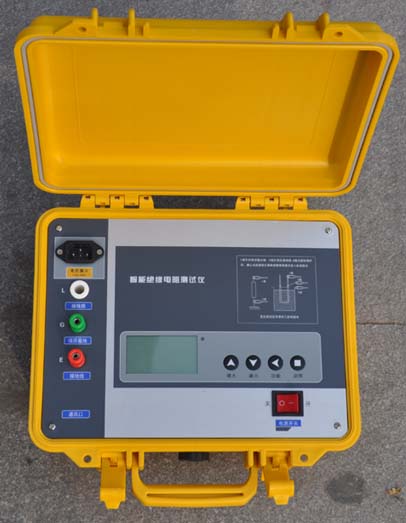
The insulation resistance tester is mainly used to measure the insulation resistance of large transformers, instrument transformers, generators, high-voltage motors, power capacitors, power cables, lightning arresters and other equipment.
Usage Steps
Steps for measuring with a ground resistance tester
1) Insert the two ground probes into the ground along the radial direction of the grounding body at distances of 20m and 40m from the grounding body, with an insertion depth of 400mm, as shown in the figure below.
Ground resistance test usage diagram
Ground resistance test usage diagram: a) Actual operation b) Equivalent principle
2) Place the ground resistance tester flat near the grounding body and make connections as follows:
① Use the shortest special wire to connect the grounding body to the terminal "E1" (for three-terminal testers) or to the common terminal after shorting C2 and "E" (for four-terminal testers) of the tester.
② Use the longest special wire to connect the measuring probe (current probe) at 40m from the grounding body to the terminal "C1" of the tester.
③ Use the remaining special wire of medium length to connect the measuring probe (potential probe) at 20m from the grounding body to the terminal "P1" of the tester.
3) After placing the tester horizontally, check whether the pointer of the galvanometer points to the center line; otherwise, adjust the "zero adjuster" to make the pointer point to the center line.
4) Set the "multiplier dial" (or coarse adjustment knob) to the maximum multiplier, and slowly turn the generator handle (the pointer starts to deflect), while rotating the "measurement dial" (or fine adjustment knob) to make the galvanometer pointer point to the center line.
5) When the galvanometer pointer is close to balance (near the center line), speed up the shaking of the handle to reach a speed of 120 r/min or more, while adjusting the "measurement dial" to make the pointer point to the center line.
6) If the reading on the "measurement dial" is too small (less than 1) and difficult to read accurately, it indicates that the multiplier is too large. In this case, set the "multiplier dial" to a smaller multiplier, readjust the "measurement dial" to make the pointer point to the center line, and read the accurate value.
7) Calculate the measurement result: Rground = "multiplier dial" reading × "measurement dial" reading.
2. In the test number selection state, press the setting key (12) to enter the test result query state.
3. Press the up/down keys (12) to increase or decrease the number of the test result (the corresponding number is highlighted in reverse).
4. After selecting the number, press the test key (10) to enter the test result for that number. Press the up/down keys (12) to view the test results for that number (current resistance, 15-second resistance, 60-second resistance, 10-minute resistance, absorption ratio, polarization index).
5. After querying, press the setting key (12) to return to the ready-to-test state.
6. To query again, press the setting key (12) again.